An informed customer update
When a customer asks about a delivery, check the vehicle location and last connection before providing an update.
Locate your vehicles, then explore their routes, stops and related events. Information that helps you manage operations and give customers informed answers.
Explore each feature inside the platform and see the information it adds to your daily operations.
Review the route from departure to arrival, instead of piecing the journey together through calls.
Choose a detail to see it up close and understand what it tells you.
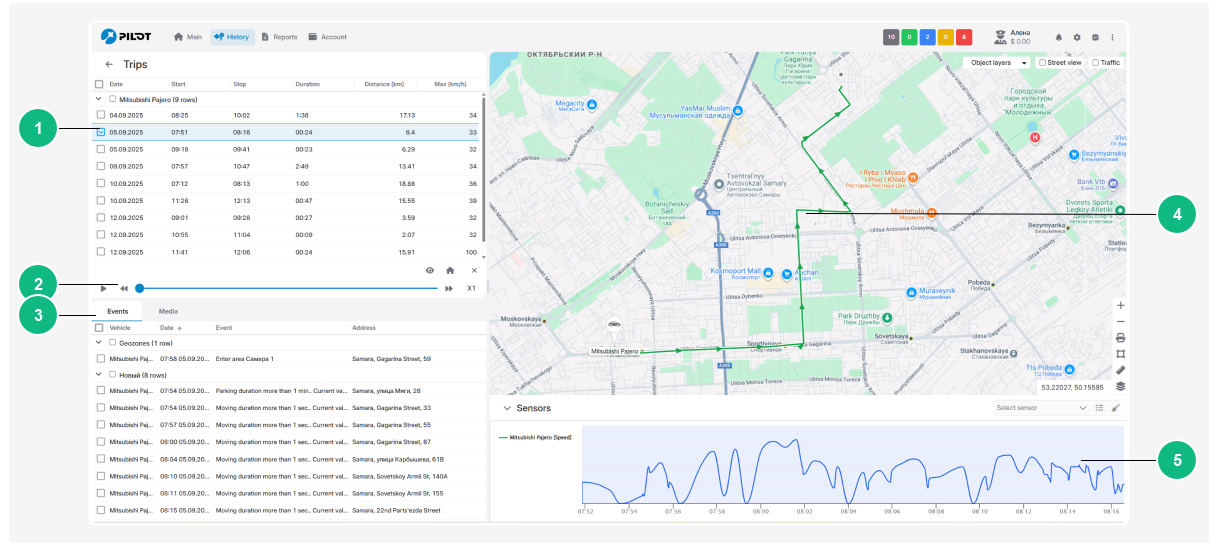
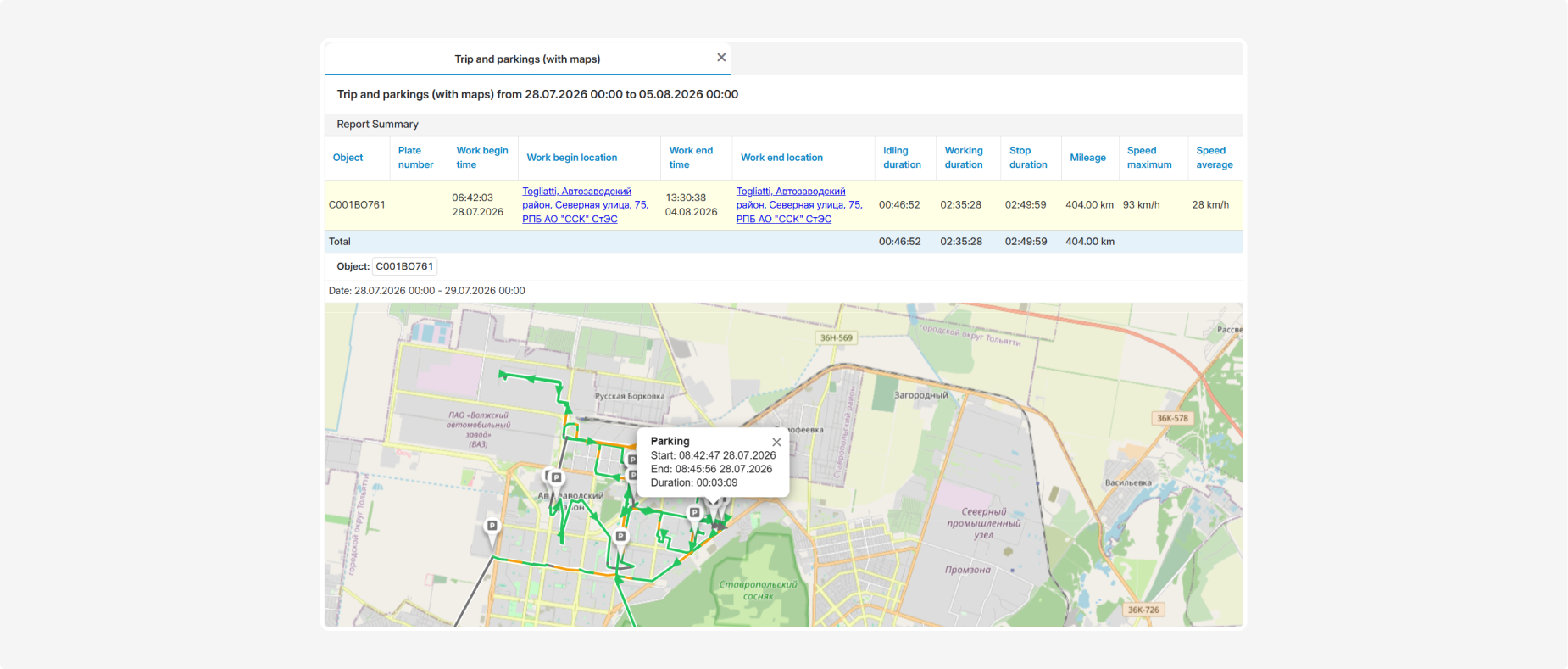
See the location and timing of each stop to review waiting periods with your team and understand their impact.
Choose a detail to see it up close and understand what it tells you.
Open the event history to identify the vehicle, time and event details, so your follow-up starts with useful information.
Choose a detail to see it up close and understand what it tells you.
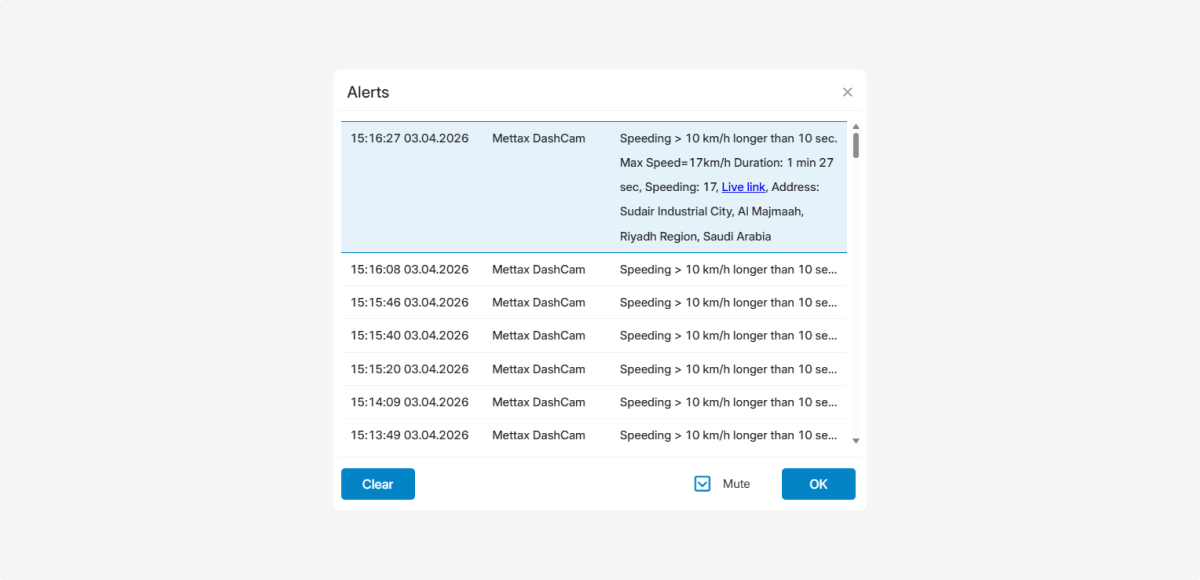
Review figures alongside the route to understand distances, movement and stopping time before discussing operational performance.
Choose a detail to see it up close and understand what it tells you.
Add a visual view to tracking data when your operation needs it, using a camera setup compatible with your vehicles.
Choose a detail to see it up close and understand what it tells you.
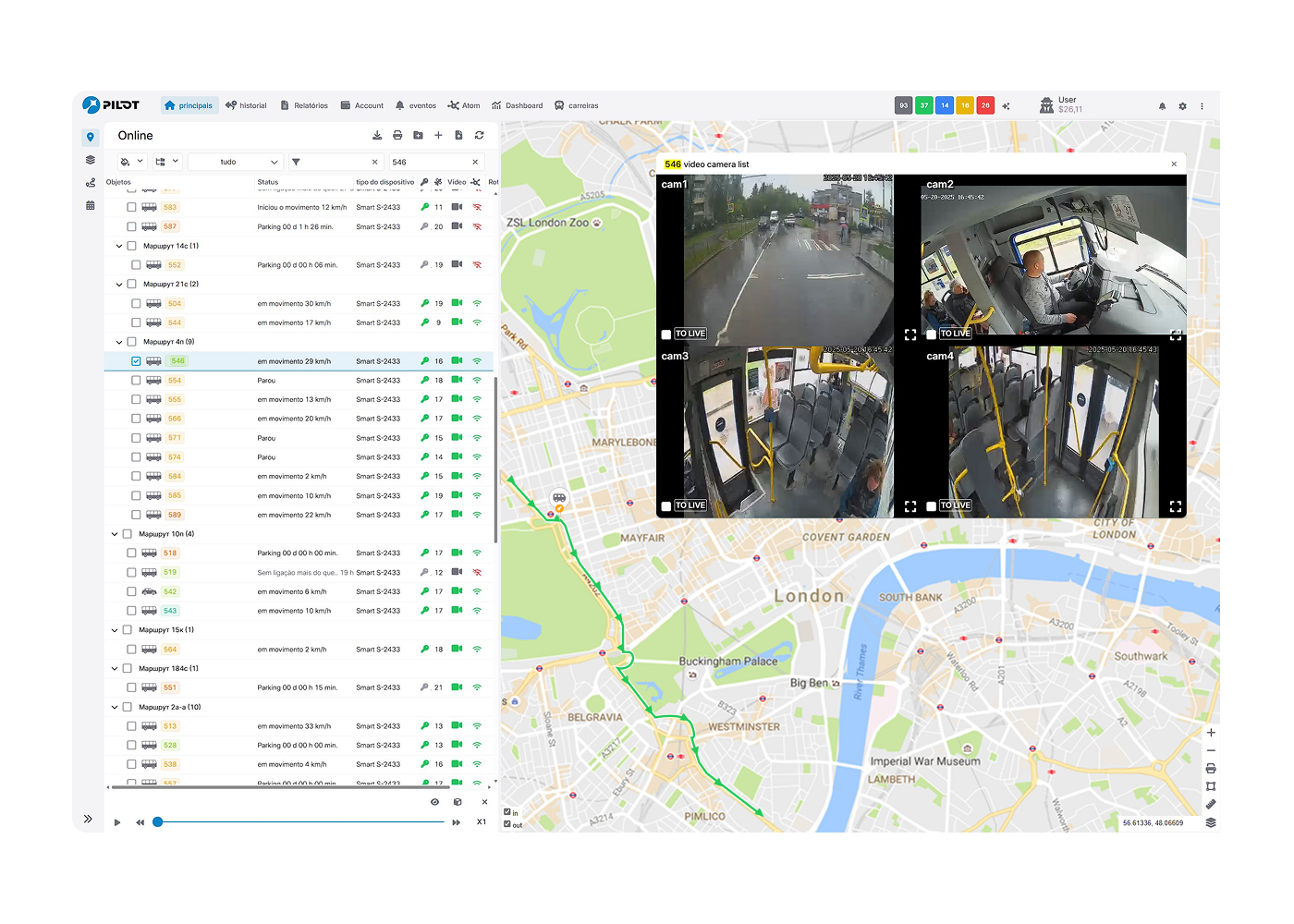
Screenshots show actual platform interfaces. During a live demo, we explain the features and equipment suited to your needs.
When a customer asks about a delivery, check the vehicle location and last connection before providing an update.
When reviewing a delay, check the route, stop locations and durations, then discuss the cause with your team.
Use reported distances, movement and stopping times to discuss vehicle use with specific information.
Tell us your vehicle types, fleet size and what you need to monitor. We’ll walk you through the relevant features and the setup they need.
Choose a topic to start a conversation with us on WhatsApp.
Open WhatsApp directly